
Help › Reports
Reports
What the business really made, where the money went, and which customers are worth your time. Reports are for Admin users only, because they show your profit.
Each report has a period picker. Choose a ready-made period like this month or last year, or set your own dates. Every report prints cleanly from your browser for your accountant.
1. Profit and loss
Reports › Profit & Loss
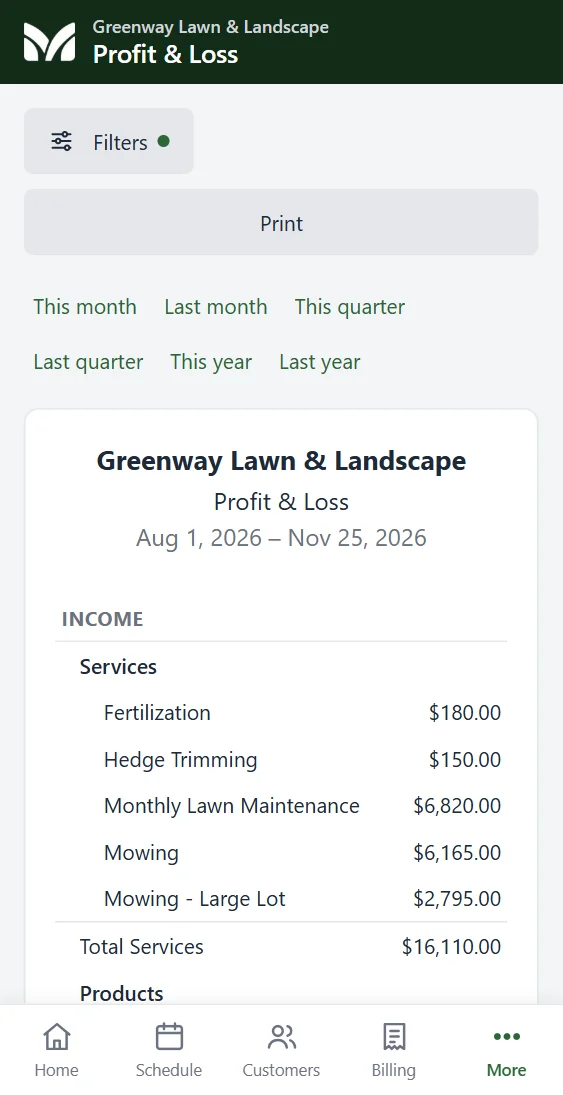
- Income: the invoices you sent in the period. Drafts and voided invoices don’t count.
- Expenses: everything you spent, by category.
- Net profit: income minus expenses.
Underneath, the report shows the sales tax you collected, which belongs to the state and isn’t income. It also shows the payments you received, and any tips, by crew.
Income counts when you invoice, not when you’re paid. So the report shows the work you billed in the period, even if some customers haven’t paid yet. The payments received line is there to compare.
2. Expenses
Reports › Expenses
The period’s expenses, totaled by category, with each category’s share of the total. It’s a quick way to see where the money goes, like whether fuel or repairs are creeping up.
3. Fuel
Reports › Fuel
Gallons and cost by fuel type, on-road and off-road, plus a list of every off-road purchase. These are the numbers for a fuel tax refund claim. Pick the quarter or year you’re claiming for. See Expenses and fuel for how to record fuel.
4. Hourly rate
Reports › Hourly Rate
Not every lawn is worth the same. This report shows what each regular customer pays you for every hour your crew spends on their property, with the lowest at the top.
- Per year: what their recurring invoice brings in over a year, without sales tax or materials.
- Hours a year: their visits a year times the average time on site.
- Per hour: the first divided by the second.
- To reach target: set your target per hour at the top, and MowBill suggests the price per invoice that would get each customer there.
It never changes a price. It just shows you where to look when you’re planning next year’s prices.
Getting good numbers
- The times come from your visits: what the crew enters as time spent, or the schedule’s estimate when they leave it blank (see Estimated times and hours).
- On each recurring invoice, the Hourly Rate card lets you tick which schedules it pays for, and set how many visits a year it covers. A year-round monthly mowing plan is about 42 visits. A plan every 2 weeks all year is 26.
- It works per year on purpose. A flat monthly price pays for more visits in summer than in winter, so a single month would look wrong.
Next: Marketing